



Table Of Contents

5 Best Tracking Apps for Elderly Parents in 2026
Knowing your elderly parent is safe — without calling them every hour — is something millions of adult children navigate every day. According to the NIH, up to 60% of people with dementia will wander at least once, and falls remain the leading cause of injury-related emergency visits for adults over 65. For families managing this from a distance, the right phone tracker for elderly parents can shift daily anxiety into something manageable.
This guide covers the five best tracking apps for elderly loved ones in 2026, with real pricing, key features, and honest pros and cons so you can choose the right fit for your family’s situation.
What to Look for in a Tracking App for Seniors
Not all GPS tracker apps for elderly users work the same way. Before comparing tools, these are the criteria that matter most for senior tracking:
- No-install tracking — apps that require installation on the senior’s device only work if they’re comfortable enough to set it up and keep it active
- Inactivity alerts — notifications if the senior stops moving for an extended period, which can signal a fall or medical event
- Geofencing — automatic alerts when a parent enters or leaves a set location, like home or a care facility
- Consent-based model — the senior must agree to share their location, which is both legally sound and more sustainable long-term
- Ease of use for caregivers — the caregiver interface should be simple enough to check quickly and understand at a glance
With those criteria in mind, here are the top tools available in 2025.
Scannero — Best for Tracking Elderly Parents Without Installing an App
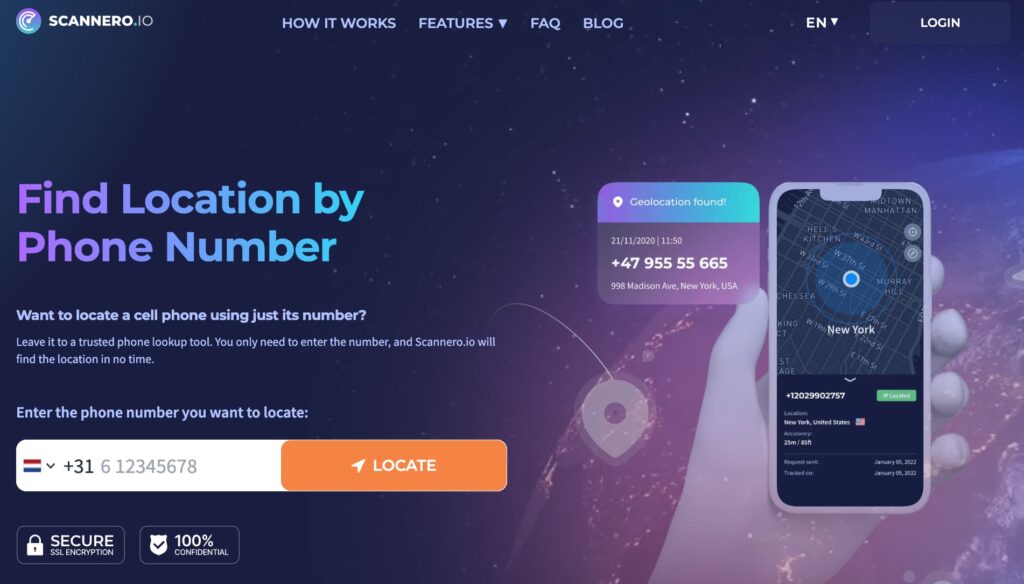
Many seniors don’t use smartphones, resist installing new apps, or simply forget to keep tracking software active. That’s where most GPS tracker apps for elderly users fall short — and where Scannero takes a different approach.
Instead of requiring software on the senior’s device, Scannero works through a consent-based tracking link sent via SMS. The caregiver enters the parent’s phone number, Scannero sends a text with a tracking link, and once the senior taps it, their location appears on an interactive map with GPS coordinates and address details. No app download, no account setup on the senior’s end, and no compatibility issues — it works on any phone that can receive a text message, including older handsets.
Key features:
- Location by phone number — track any SMS-capable phone, including basic feature phones and older Android and iPhone models
- Custom message crafting — write a natural-sounding text (“Hey Dad, can you share your location?”) instead of a generic link that might go ignored
- Works on all carriers and countries — no carrier restrictions, works internationally
- Web-based dashboard — no app required for the caregiver either; everything runs in a browser
- Lost phone detection — send a tracking link to a misplaced phone to locate it
- Reverse lookup — look up caller information linked to an unknown number
Unlike most tracking apps for elderly parents that require the senior to install and maintain software, Scannero removes that friction entirely. A family whose parent refuses or forgets to run background apps can still get a location confirmation whenever needed.
Pricing: $0.89 for a 24-hour trial with full access. After the trial, the monthly plan is $49.80 for unlimited tracking across as many numbers as needed. There is no permanent free tier.
Pros:
- No installation required on the senior’s phone — works the moment they tap the link
- Works on any phone type, including non-smartphones
- Simple browser-based interface — no technical setup for the caregiver
Cons:
- Location is shared only when the senior clicks the link — not a continuous real-time feed
- If the senior ignores or deletes the text, no location is returned
Best for: Adult children who need a quick, low-friction way to confirm an elderly parent’s location without requiring them to install software. Particularly useful for parents who are resistant to technology, use older handsets, or travel.
Visit Scannero to try the 24-hour trial and see how it works for your parent’s setup.
Life360 — Best for Whole-Family Location Sharing
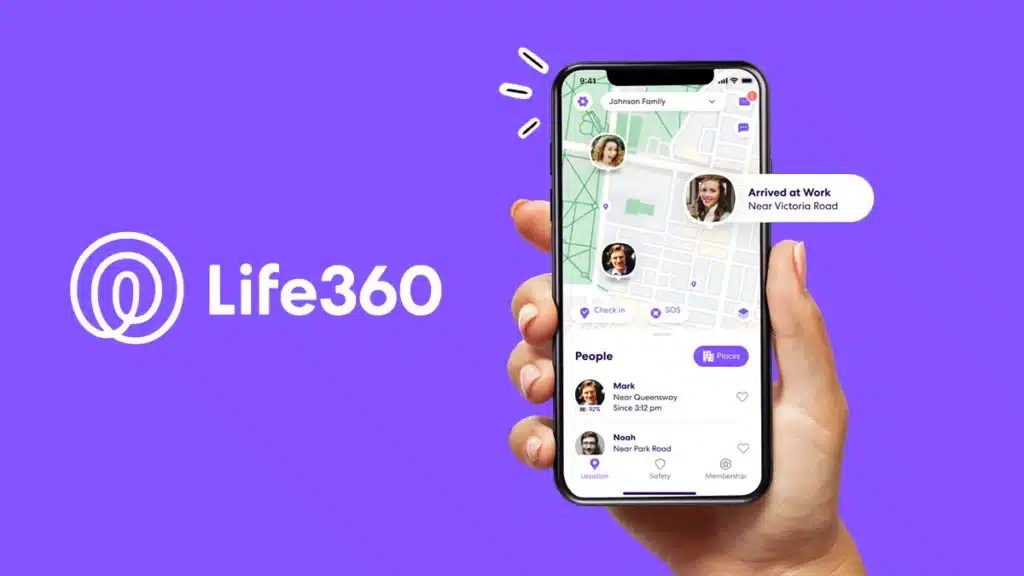
Life360 is one of the most widely used family location sharing apps for seniors and their caregivers, with over 77 million members globally. It operates on a shared family circle model — all members install the app and appear on a shared map in real time.
Key features:
- Real-time location sharing across the whole family circle
- Geofencing with place alerts — get notified when a parent arrives at or leaves home, a care facility, or a pharmacy
- Crash detection with emergency dispatch
- 30-day location history on paid plans
- SOS button that sends the senior’s location to all circle members
Pricing: Free plan available with basic tracking and a 2-day location history. Gold plan at $14.99/month (or $99.99/year) adds 30-day history, unlimited place alerts, emergency dispatch, and crash detection. Platinum is $34.99/month.
Pros:
- Established, reliable platform used by millions of families
- Crash detection is a meaningful safety layer for seniors who still drive
- Geofencing alerts are immediate and accurate
Cons:
- Requires app installation on the senior’s device — a significant barrier for less tech-comfortable parents
- Free plan limits make it less useful without upgrading
- Reported privacy concerns around location data practices
Best for: Families where the elderly parent already uses a smartphone regularly and wants to stay connected with multiple family members across one app.
iSharing — Best for Seniors with Dementia or Wandering Risk
iSharing is one of the few elder GPS tracking apps that includes an inactivity alert — a notification sent to caregivers if the senior’s phone hasn’t moved for a set amount of time. For a parent with early-stage dementia living alone, this acts as a passive wellness check without requiring them to press any button.
Key features:
- Real-time GPS location sharing with Street View integration
- Inactivity alert — notifies caregivers if no movement is detected for a configurable period
- 365-day location history — the longest in the category, compared to Life360’s 30 days
- Unlimited place alerts with geofencing
- One-tap SOS button that also records surrounding audio and sends it to emergency contacts
- Battery-optimized for 24-hour monitoring without heavy drain
Pricing: Free plan available with basic tracking. Platinum plan (recommended for elderly parent monitoring) runs approximately $9.99/month and includes unlimited history, inactivity alerts, web access, and battery notifications. A 7-day free trial is available on all paid plans.
Pros:
- Inactivity alert is a genuine differentiator for dementia and fall risk scenarios
- 365-day location history helps locate a wandering parent even if the incident happened days earlier
- Consent-based, so all tracking is voluntary and mutually agreed upon
Cons:
- Requires the senior to install and maintain the app on their device
- Setup can feel complex for less technically inclined caregivers
Best for: Families caring for a parent with early-stage dementia, Alzheimer’s, or a history of wandering — where passive monitoring matters as much as active location checks.
Senior Safety App — Best for Android Users on a Budget
The Senior Safety App is an Android-native location tracking app for seniors built specifically around caregiver use cases. Once installed on the senior’s phone, caregivers monitor alerts and reports through a secure online control panel.
Key features:
- GPS location tracking with geofencing — alerts sent when parent enters or exits set locations
- Fall detection using the phone’s accelerometer
- Inactivity tracker — alerts if the phone has been stationary for too long
- SOS button with emergency contact notification
- Network change alerts — notified if the SIM card is swapped or the device changes networks
- Low battery alerts
Pricing: Free version with basic SOS and round-robin calling. Premium plan at $4.50/month or $45/year adds geofencing, fall detection, inactivity monitoring, and location reports.
Pros:
- Purpose-built for senior monitoring — not a repurposed family app
- One of the most affordable dedicated senior tracking solutions available
- Geofencing and inactivity alerts work well for solo seniors
Cons:
- Android only — not available for iPhones
- Some users report inconsistent notification delivery on certain device configurations
Best for: Android-using seniors whose caregivers want a dedicated, affordable tracking solution with more safety-specific features than a general family app.
Google Find My Device / Apple Find My — Best Free Built-In Option
Both major mobile platforms include a built-in device tracking service at no cost. Google’s Find My Device works on Android, and Apple’s Find My works on iPhone. Neither requires a separate app download — they run through the operating system.
Key features:
- Real-time location of the device on a map
- Last-known location even when the phone is offline (Apple Find My uses the Find My network)
- Play a sound to locate a nearby misplaced phone
- Remote lock or data wipe in a theft scenario
- Location sharing between family members (Apple Family Sharing / Google account sharing)
Pricing: Free with all iPhones and Android devices.
Pros:
- No additional cost or subscription
- Already available on the senior’s device — nothing new to set up
- Reliable and maintained by the platform vendor
Cons:
- No geofencing or place alerts in the basic implementation
- No inactivity alerts — not designed for senior safety monitoring
- Only useful if the senior carries their smartphone consistently
Best for: Families who need a basic, zero-cost way to check a tech-comfortable senior’s location occasionally — not for active safety monitoring or dementia care.
Comparison: Best Tracking Apps for Elderly at a Glance
| Feature | Scannero | Life360 | iSharing | Senior Safety App | Find My / Find My Device |
|---|---|---|---|---|---|
| No-install tracking | Yes | No | No | No | Partial |
| Inactivity alert | No | No | Yes | Yes | No |
| Geofencing | No | Yes | Yes | Yes | No |
| Works on non-smartphones | Yes | No | No | No | No |
| Free plan | Trial $0.89 | Yes | Yes | Yes | Yes (free) |
| iOS + Android | Yes | Yes | Yes | Android only | Platform-specific |
| Starting paid price | $49.80/mo | $14.99/mo | ~$9.99/mo | $4.50/mo | Free |
How to Choose the Right Tracking App for Your Elderly Parent
The right GPS tracker app for elderly family members depends on three things: your parent’s current technology comfort level, their health situation, and how your family monitors them.
If your parent resists installing apps or uses an older phone, a link-based tool like Scannero is the most practical starting point. It asks nothing of them except a single tap on a text — no account, no app, no learning curve.
If your parent has early-stage dementia or a history of wandering, iSharing’s inactivity alert and 365-day location history make it worth the install friction. Passive monitoring that doesn’t rely on them pressing a button is meaningful for that use case.
If your goal is connecting the whole family — grandchildren, siblings, and a senior parent in one shared view — Life360 handles that better than any other tool on this list.
For Android-using seniors whose families want budget-friendly, senior-specific monitoring, the Senior Safety App covers fall detection and inactivity tracking at under $5/month.
Before setting up any of these tools, have the conversation with your parent. Consent-based tracking is not just legally sound — it tends to be more sustainable. When seniors understand why the app is there and agree to it, they’re more likely to keep it active and less likely to disable it when something feels off.
Choosing the Right Tool Starts With the Right Question
There is no single best tracking app for elderly parents across every situation. A senior who uses their iPhone daily has different needs than one who carries a basic handset and won’t touch an unfamiliar app.
Start by asking what friction level your parent can handle. If the answer is very little, Scannero’s link-based model — no install, works on any SMS-capable phone, active from the first tap — is worth trying first. The $0.89 trial gives a full 24 hours to test whether it fits your family’s workflow before committing to anything.

Related posts
 May 25, 2026
 May 25, 2026
 May 25, 2026





