


Table Of Contents

8 Best Family Tracking Apps in 2026: Ranked and Compared
Not all family tracking apps solve the same problem. Some send a quick SMS link to locate any phone number without touching the device. Others require installation to deliver ongoing GPS history, screen time controls, and app monitoring. And a few are built entirely around mutual, transparent location sharing between family members. Picking the wrong category means paying for features you don’t need — or getting a tool that can’t do what you actually want. This list covers 8 of the best family tracking apps across all three categories, with honest pricing, real pros and cons, and a clear breakdown of what each tool can and cannot do.
What Type of Family Tracking Do You Actually Need?
Before choosing an app, identify which of these three situations describes you:
- Quick location check, no device access needed — you need to verify where a family member is right now, without installing anything on their phone. The best tools here: Scannero (SMS link) and Google Maps location sharing.
- Continuous family location sharing — all family members want to see each other’s locations on a shared map, with geofencing alerts and driving reports. The best tools here: Life360, Apple Find My, and Google Family Link.
- Full parental monitoring — you need GPS location plus screen time management, app controls, social media oversight, and content filtering for a child’s device. The best tools here: FamiSafe, Bark, mSpy, and Qustodio.
Matching the right category to your actual need saves money and avoids over-engineering a simple situation.
8 Best Family Tracking Apps: At a Glance
| App | Tracking Method | Install Required | Free Option | Starting Paid Price | Best For |
|---|---|---|---|---|---|
| Scannero | SMS tracking link | No | $0.89 trial | $49.80/mo | Quick GPS check, no app install |
| Life360 | Mutual app-based | Yes (all members) | Yes | $14.99/mo | Family location sharing + driving |
| FamiSafe | App install (GPS) | Yes — child device | No | $10.99/mo | GPS + full parental controls |
| Bark | App install (monitoring) | Yes — child device | Limited | $5/mo (Jr) | AI-based content safety alerts |
| mSpy | App install (stealth) | Yes — target device | No | $29.99/mo | Full device monitoring |
| Google Family Link | App-based | Yes (Android) | Yes (free) | Free | Free parental controls, Android |
| Qustodio | App install | Yes — child device | Yes (1 device) | $54.95/yr | Full parental suite with location |
| Apple Find My | Built-in (iOS) | No (already on device) | Yes (free) | Free | Free location sharing, iOS only |
1. Scannero — No-Install GPS Tracking for Any Family Member
Your teenager says they’re at a friend’s house. Your elderly parent hasn’t responded to three calls. You need to know where someone is right now — but you don’t have access to their phone to install anything, and you don’t have time to set up a family tracking subscription.
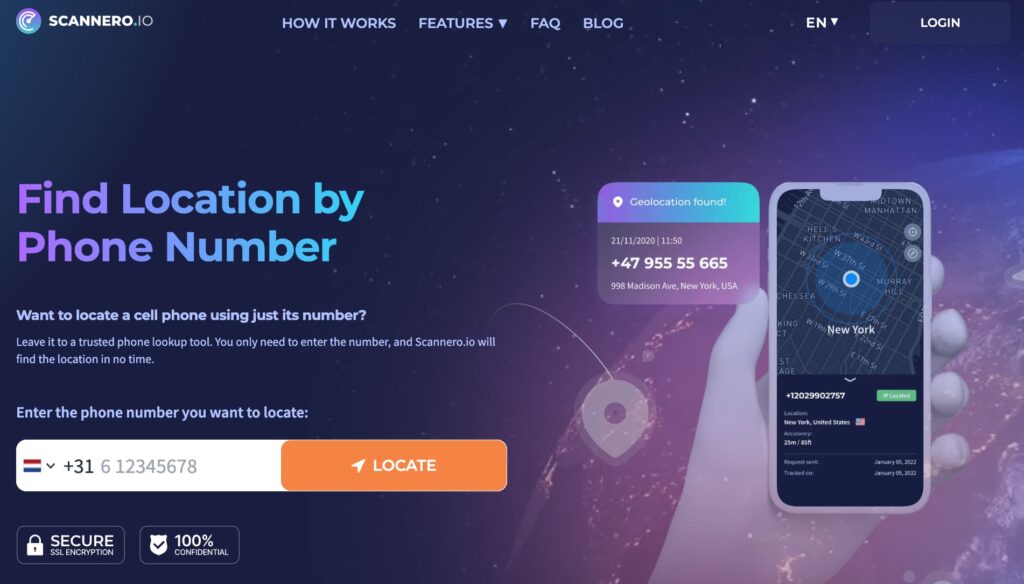
Scannero is built for exactly this situation. Enter the phone number, and Scannero sends a discreet SMS containing a tracking link to that number. The moment the recipient taps the link, their GPS coordinates are transmitted and appear on an interactive map in your Scannero dashboard — in real time. The entire process takes under 3 minutes. No app on your end, nothing installed on theirs. It works on any smartphone or basic SMS-capable phone, regardless of carrier.
Key features:
- Real-time GPS location via SMS tracking link — works on any phone that can receive a text message
- Works on all major carriers worldwide — no compatibility restrictions
- Reverse phone lookup — identifies the name and carrier behind any number
- Data leak checker — scans breach databases to flag whether your phone number or email has been exposed
- Lost phone recovery — sends a customised message to any number prompting a finder to return the device
- Anonymous voice message — converts written text to a voice message without revealing your identity
Pricing: $0.89 for a 24-hour trial. Monthly unlimited plan at $49.80/month. Review subscription renewal terms before subscribing, as the trial auto-renews.
Pros:
- No app installation required on anyone’s device — works for family members who won’t install an app, or numbers you don’t have direct access to
- GPS accuracy is street-level once the link is clicked, not an approximation
- Works for one-off checks at $0.89 — no need to pay $10–$50/month for a situation that arises once or twice a year
- Functions internationally — useful when a family member is travelling abroad
Cons:
- Location is only captured when the recipient taps the SMS link — if they ignore the message, no location data is returned
- Not a continuous tracker — does not provide ongoing location history, geofencing alerts, or screen time controls
Who it’s best for: Parents or family members who need a quick, one-off GPS confirmation without installing an app. Also useful for locating a family member who is travelling or who has a phone that doesn’t support tracking apps. Unlike persistent monitoring apps like mSpy or FamiSafe, which require physical device setup and ongoing monitoring, Scannero gets you a precise location with nothing more than a phone number.
Try Scannero — results in under 3 minutes, starting at $0.89.
2. Life360 — Family Location Sharing with Driving Alerts

Life360 is the most widely used dedicated family location sharing app globally. Every family member installs the app and joins a shared “Circle,” where everyone can see each other’s real-time location on a shared map. The free plan is genuinely useful, and the paid tiers add driving safety features that make it a practical choice for families with teenage drivers.
Key features:
- Real-time location sharing for all Circle members on a shared map
- Geofencing with arrival and departure alerts for custom locations (home, school, work)
- Driving reports — detects speeding, hard braking, and phone use while driving
- Crash detection with automatic emergency alert
- SOS button for emergencies
- Location history up to 30 days on paid plans
Pricing: Free plan includes real-time location and 2 geofence zones. Gold plan at $14.99/month or $99.99/year adds unlimited geofences, driving reports, and crash detection. Platinum adds identity theft protection and additional safety features.
Pros:
- Free tier is genuinely functional — real-time location sharing at no cost
- Driving safety features (crash detection, speeding alerts) are unique to Life360 among standard family locators
- Supports up to 99 devices per Circle — scales for large or extended families
Cons:
- No screen time management, app controls, or content filtering — location-only tool
- Free plan shows ads that several users find intrusive
- No money-back guarantee on paid plans — only a 7-day free trial
Best for: Families who want all members to share their locations on a single map with driving safety alerts — not families who need parental controls or content monitoring.
3. FamiSafe — GPS Tracking Plus Full Parental Controls

FamiSafe by Wondershare combines real-time GPS location tracking with a comprehensive set of parental controls including screen time management, geofencing, content filtering, and driving reports. It is installed on the child’s device, giving parents a persistent view of both location and device activity from a single dashboard.
Key features:
- Real-time GPS tracking with location history
- Geofencing with instant alerts when the child enters or leaves defined zones
- Screen time limits and app usage scheduling
- Content filtering for web browsing
- Social media activity monitoring
- Driving behaviour reports (speeding, harsh braking)
- Compatible with iOS, Android, Kindle Fire, Windows, and Mac
Pricing: Plans start at approximately $10.99/month for a single device. Multi-device family plans are available at higher tiers.
Pros:
- Single app covers both GPS tracking and parental controls — no need for two separate subscriptions
- Cross-platform compatibility is the broadest in this list, covering Windows and Mac in addition to iOS and Android
- Geofencing plus screen time together gives parents complete oversight, not just a location pin
Cons:
- App installation required on the child’s device — physical access needed for setup
- No free tier; requires payment from day one
- Some reports of children finding ways to bypass app restrictions
Best for: Parents who want a single platform for both real-time GPS monitoring and device usage controls for a child’s phone or tablet.
4. Bark — Smart Monitoring for Online Safety

Bark takes a fundamentally different approach to family tracking. Instead of showing parents every message their child sends, Bark’s AI engine scans activity across more than 30 apps and platforms — Instagram, Snapchat, TikTok, Discord, Gmail, YouTube, and others — and alerts parents only when it detects potential risks: bullying, self-harm language, explicit content, or signs of depression. GPS location tracking is included, but content safety monitoring is the core value.
Key features:
- AI-powered content scanning across 30+ apps and social platforms
- Alerts only for actual risks — not full message logs — preserving some child privacy
- GPS location tracking with geofencing and arrival/departure alerts
- Screen time management and app blocking
- SOS button for emergencies
- Unlimited devices on all plans
Pricing: Bark Jr at approximately $5/month covers content monitoring only. Bark Premium at approximately $14/month adds GPS tracking, screen time, and app controls. Both plans support unlimited devices.
Pros:
- Alert-based monitoring means parents aren’t overwhelmed with data — only notified when something needs attention
- Unlimited device coverage at a flat rate makes it cost-effective for families with multiple children
- Balances child oversight with privacy better than full-log monitoring tools
Cons:
- AI alerts can produce false positives — everyday conversations may occasionally trigger unnecessary notifications
- GPS location is not live-updating in real time on the Jr plan — requires Premium for continuous location features
Best for: Parents who want to monitor a child’s online safety across social media and messaging apps, with GPS location as a secondary feature rather than the primary one.
5. mSpy — Full Device Monitor with GPS

mSpy is the most feature-complete monitoring platform in this list. It requires installation on the target device and delivers GPS location tracking alongside full device surveillance: call logs, text messages, WhatsApp and social media monitoring, browser history, keylogger, and geofencing. It operates in stealth mode, meaning the monitored device shows no visible sign of the app.
Key features:
- Real-time GPS tracking with detailed location history and timestamps
- Call log monitoring and SMS access
- WhatsApp, Telegram, and social media message monitoring
- Browser history and keylogger
- Geofencing with custom zone alerts
- Stealth mode installation
Pricing: Basic plans start at approximately $29.99/month. Premium plans with full feature access available at higher tiers. No free plan; a demo is available on the website.
Pros:
- Most comprehensive feature set of any tool in this list — covers location, communication, and app activity in a single dashboard
- Stealth operation is unique to mSpy among family apps — the monitored person does not see the app
- Supports both iOS and Android with comparable feature sets
Cons:
- Physical access to the target device is required for initial installation
- At $29.99/month and above, it is the most expensive option in this comparison
- Stealth monitoring without explicit consent raises legal and ethical concerns depending on jurisdiction
Best for: Parents who need comprehensive oversight of a child’s device activity — not just location but full communication monitoring — on a phone they can physically access for setup.
6. Google Family Link — Free Parental Controls for Android
Google Family Link is Google’s free parental control app, designed for families with Android devices. Parents manage a child’s account from their own device — approving app downloads, setting screen time limits, filtering content on Google Search and Chrome, and viewing real-time GPS location. There is no subscription cost.
Key features:
- Real-time GPS location on Google Maps
- App approval — parents must authorise any new app downloaded by the child
- Screen time daily limits and device bedtime scheduling
- Content filters for Google Search, Chrome, and the Play Store
- App usage reports showing daily and weekly screen time per app
- Works on Android devices and Chromebooks
Pricing: Free.
Pros:
- Completely free with no subscription required
- Native Google integration means setup takes minutes for Android families already using Google accounts
- Location on Google Maps is accurate and updates regularly
Cons:
- Android only — does not support iOS devices for the monitored child’s phone
- Less control over third-party apps compared to paid tools like FamiSafe or Qustodio
- Children aged 13 and over can request to “graduate” out of Family Link supervision
Best for: Android families who want free, basic parental controls including location tracking, screen time limits, and app approvals without paying for a subscription.
7. Qustodio — Comprehensive Parental Controls with Location
Qustodio is a full parental control platform with one of the broadest feature sets available. It covers real-time GPS location, screen time scheduling, web filtering, social media monitoring, a panic button for emergencies, and per-child customisation so different rules apply to different family members. A limited free tier is available for a single device.
Key features:
- Real-time GPS location with location history
- Screen time daily limits and scheduling
- Web filtering by category (adult content, gambling, etc.)
- Social media monitoring for major platforms
- App blocking and usage time limits per app
- Panic button for child emergencies
- Call and SMS monitoring on Android
- 30-day free trial on paid plans
Pricing: Free tier covers 1 device with basic features. Basic plan at $54.95/year covers up to 5 devices. Complete plan at $96.95/year covers unlimited devices and adds full feature access. All paid plans come with a 30-day money-back guarantee.
Pros:
- Per-child customisation lets parents apply different rules for different ages under one account
- 30-day money-back guarantee provides more purchase confidence than most competitors (Life360 offers only a 7-day trial)
- Cross-platform support includes Windows and Mac alongside iOS and Android
Cons:
- Annual pricing is more expensive than monthly plans from FamiSafe at equivalent feature levels
- GPS location tracking is not available on the free tier — requires a paid plan
- Interface can feel dense for parents who only need basic location tracking
Best for: Families with multiple children of different ages who want to apply different monitoring rules per child, with GPS location as part of a broader parental control suite.
8. Apple Find My — Best Free Tracker for iOS Families

Apple’s Find My is a built-in iOS feature that allows family members sharing an Apple Family plan to see each other’s real-time locations on a shared map — at no cost. It also integrates with AirTags for tracking physical items, and supports lost iPhone recovery with Activation Lock. No third-party app or subscription is required.
Key features:
- Real-time location sharing between all Apple Family plan members
- Works on iPhone, iPad, Mac, and Apple Watch
- AirTag integration for tracking wallets, bags, keys, and other items
- Lost device recovery — sound, lock, or erase remotely
- Location notification — alerts when a family member arrives or leaves a specific place
- Share location for a specific time period or indefinitely
Pricing: Free — included with any Apple Family Sharing setup.
Pros:
- Completely free for all Apple Family members — no subscription required
- Deeply integrated into iOS — no setup beyond enabling Family Sharing
- Battery-efficient compared to third-party tracking apps
- AirTag support extends tracking to physical belongings
Cons:
- iOS and Apple devices only — Android family members cannot be tracked
- No screen time controls, content filtering, or parental monitoring features
- Location sharing is mutual and visible to all family members — not suitable for discreet monitoring
Best for: Apple households where all family members use iPhones or iPads and want free, transparent mutual location sharing with no monthly cost.
How to Choose the Right Family Tracking App
Match the tool to the specific problem you’re trying to solve:
- Need to locate a family member right now without installing anything? Use Scannero — $0.89 trial, works on any phone, GPS result in under 3 minutes.
- Want all family members to see each other’s locations on a shared map? Use Life360 (free tier) or Apple Find My (iOS, free).
- Have an Android child’s device and want free parental controls plus location? Use Google Family Link — no cost, covers location, screen time, and app approvals.
- Need GPS plus full parental controls including screen time and content filtering? Use FamiSafe ($10.99/mo) for the best balance of features and price, or Qustodio ($54.95/yr) if you need per-child rule customisation across multiple devices.
- Need AI-based social media monitoring alongside GPS? Use Bark — alert-based rather than full data logs, starting at $5/month.
Are Family Tracking Apps Legal?
Consent is the legal dividing line. Tracking a minor child’s device as a parent is generally legal in most jurisdictions because parental authority provides the consent basis. Tracking an adult family member requires their explicit consent — whether that means mutual location sharing in Life360 or tapping the SMS link sent by Scannero.
Tools that require app installation on an adult’s device without their knowledge — including stealth-mode apps like mSpy — can violate privacy laws in the US, UK, EU, and many other jurisdictions if used without the device owner’s consent. For company-issued devices, written consent from employees before any monitoring begins is standard legal practice.
All eight tools listed here support legal use. The key is ensuring the person being tracked is either a minor in your care, has given explicit consent, or is voluntarily participating in mutual location sharing.

Related posts
 May 25, 2026
 May 25, 2026
 May 25, 2026





