


Table Of Contents

How to Find Someone’s Address with a Phone Number: 6 Methods That Work
You have a phone number. What you need is an address. Whether you’re trying to reconnect with someone, verify where a package needs to go, or confirm a location before making a decision, there are several practical ways to find someone’s address with a phone number — from free public record lookups to real-time GPS confirmation. This guide covers all six.
Can You Find Someone’s Address from Their Phone Number?
Yes, with the right tools. Phone numbers, especially landlines and older mobile numbers, are often tied to public records that list a registered address. Reverse lookup services cross-reference those records against their databases and return results in seconds.
For cell phones, the data is less consistent. A number may be linked to an address from years ago, or to a carrier registration that doesn’t match where the person actually lives. That’s the key limitation: a reverse lookup gives you the address on file — not necessarily where the person is today.
That gap is where a tool like Scannero becomes useful. Rather than pulling a static record, Scannero sends a text with an embedded link to the number. When the recipient taps it, their current GPS location is returned to you. Use a reverse lookup to find the registered address, then use Scannero to confirm whether the person is actually there.
Confirm the Address in Real Time with Scannero
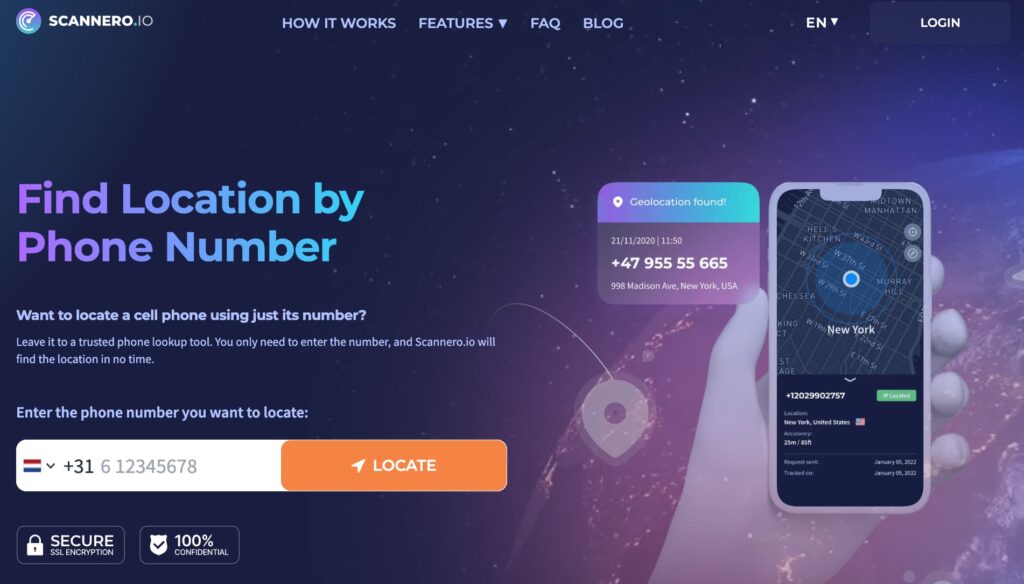
Reverse lookup services and public records tell you where someone is registered — not where they are right now. People move without updating their records. A number registered to a Chicago address six months ago may belong to someone now living in Dallas. Before taking any action based on an address you’ve found, confirming the person’s actual current location adds a critical layer of accuracy.
That’s the problem Scannero solves. When you send a text through Scannero to a phone number, the recipient receives a message with an embedded link. The moment they tap it, their phone’s GPS coordinates are returned to your dashboard and emailed to you. No app install is required on their end. The message appears to come from an anonymous sender — no Scannero branding is visible.
How Scannero Works
Scannero sends a text to any phone number — any carrier, iOS or Android. When the recipient taps the link in that message, their device reports its GPS position back to Scannero’s servers. The result appears on a map in your dashboard and is delivered to your registered email address, typically within seconds of the link being tapped. Scannero also works on Wi-Fi-only devices, so it functions even when the target number has no active cellular data plan.
Step-by-Step: Confirm a Location with Scannero
- Go to scannero.com and create an account with your email address.
- Enter the phone number you want to locate.
- Write a custom message or choose a preset template.
- Click Send. Scannero delivers the text immediately.
- When the recipient taps the link, their GPS location appears on the map in your dashboard and is sent to your email.
Used after a reverse lookup, Scannero confirms whether the registered address you found matches where the person actually is. Used independently, it provides a real-time location from a number alone.
Reverse Phone Lookup Services (Fastest for Address Data)
Paid reverse phone lookup services are the most direct way to find someone’s address with a phone number. They aggregate data from public records, court filings, utility registrations, and social profiles into a single report delivered in seconds.
The three most widely used services are:
Spokeo pulls data from over 12 billion public records and returns the owner’s name, current address, address history, potential relatives, and social media profiles. A trial report costs $0.95; subscription plans run from around $14.95/month.
Intelius searches over 20 billion public records and provides name, current and past addresses, relatives, and background data. Trial report: $0.95 for five days; monthly plans available.
Whitepages offers free basic results — typically name and city — for landlines. Detailed reports including full address run around $1.99 each.
How to find an address by phone number using Spokeo:
- Go to spokeo.com and click on “Phone” in the search bar.
- Enter the full phone number including area code.
- Click “Search Now.” Spokeo scans its database and returns a preview within seconds.
- Review the preview to confirm it matches the person you’re looking for.
- Unlock the full report (name, current address, address history, relatives) for $0.95.
For landlines, results are typically reliable. For cell numbers, cross-reference with a second service before treating the address as confirmed.
Free People Search Engines
If you need a starting point without paying, several free people search tools pull from publicly available data — voter registrations, utility filings, census records, and court documents — and return name and address information at no cost.
The most reliable free options are TruePeopleSearch, FastPeopleSearch, and ZabaSearch. These services don’t require a subscription and return basic results immediately, making them a fast first step before committing to a paid report.
How to find someone’s address for free using TruePeopleSearch:
- Go to truepeoplesearch.com.
- Click the “Phone” tab at the top of the search bar.
- Enter the phone number in full.
- Review results — TruePeopleSearch returns name, current address, and in many cases address history and relatives.
Free tools work best for people who have lived at the same address for an extended period and whose information appears in older public records. For recently moved individuals or those with private cell numbers, free results are often incomplete or outdated. In those cases, move to a paid service or combine with another method.
Google and Advanced Search Operators
Google indexes a significant amount of publicly listed phone numbers — from business directories, classified ads, social profiles, and court documents. Searching a number directly often surfaces the name and address it’s been publicly associated with.
Three operator combinations that return the most useful results:
"[phone number]" — Search the number in quotes. Returns any page where the exact number appears, including directories, listings, and social profiles.
"[phone number]" address — Adds the word “address” to the query and filters for pages that connect the number to a location.
"[phone number]" site:whitepages.com — Searches Whitepages’ indexed entries directly, which often include registered subscriber data for the number.
Replace [phone number] with the full number including area code and any formatting (e.g., “555-867-5309” or “5558675309”). Try both formats if the first returns no results. This approach works best for numbers that have been publicly listed — business lines, numbers on classified listings, or accounts linked to public social profiles.
Social Media Phone Number Search
Several major social platforms allow users to be found by phone number if their privacy settings permit it. When a number is linked to a public account, searching it can reveal the person’s name, profile photo, and in many cases their listed city or workplace.
Facebook: Open Facebook and go to the search bar. Type the phone number with no spaces or dashes (e.g., 5558675309). If the number is linked to a profile with visible contact information, the account may appear in results. Alternatively, use Facebook’s “Find Contacts” feature under Settings to upload the number.
LinkedIn: Enter the phone number in the LinkedIn search bar. If the user has linked their number to their profile and not restricted visibility, their professional profile — including current employer and location — may appear.
Instagram and Snapchat: Both platforms allow account discovery by phone number during the sign-up or contacts sync process, but this requires using the mobile app and is less reliable for one-off searches.
Social media lookups depend entirely on the person’s privacy settings. This method works most often when the number is tied to a public-facing profile and the person has not restricted contact search visibility.
Public Property Records
US property records are public documents maintained by county assessor and recorder offices. They link property owners to a registered mailing address and are searchable online at no cost in most states. If a phone number you’ve found through earlier methods is tied to a homeowner, a property record search can confirm or expand the address.
- Identify the state and county associated with the number’s area code as a starting point.
- Search “[county name] property records” or “[county name] assessor search” to find the official county portal.
- If you obtained the person’s name from Method 1 or Method 3, enter it into the property search.
- Review the results — property tax records list the owner’s registered mailing address.
For landlords, business owners, and long-term property owners, this method is highly reliable. It does not work for renters, as rental addresses are not typically tied to property ownership records. For federal court involvement, PACER (pacer.gov) provides access to federal case filings that often include addresses in legal documents.
Comparing Address Lookup Methods: Free vs Paid
| Method | Cost | Returns Physical Address | Real-Time Location | Works for Cell Phones | No Signup Needed | Best For |
|---|---|---|---|---|---|---|
| Spokeo | $0.95 trial | Yes — full + history | No | Yes (limited) | No | Most complete records |
| Intelius | $0.95 trial | Yes — full + history | No | Yes | No | Background detail |
| Whitepages | Free basic / $1.99 full | Yes — basic | No | Limited | Yes | Quick landline check |
| TruePeopleSearch | Free | Yes — basic | No | Limited | Yes | Free starting point |
| Google operators | Free | Partial | No | When publicly listed | Yes | Cross-referencing |
| Social media search | Free | Partial (city/workplace) | No | When profile is public | Yes | Identity verification |
| Public property records | Free | Yes — mailing address | No | Only if homeowner | Yes | Homeowners, businesses |
| Scannero | Subscription | No — GPS location only | Yes | Yes — any carrier | No | Real-time confirmation |
Reverse lookup tools and property records give you the address on file. Scannero gives you where the person is right now. For the highest-confidence result — particularly when the address is critical — run a reverse lookup first to identify the registered address, then send a Scannero link to confirm the person is there.
Find Someone’s Address from a Phone Number Today
There are six reliable ways to find someone’s address with a phone number: reverse phone lookup services like Spokeo and Intelius for a registered address, free tools like TruePeopleSearch for a no-cost starting point, Google operators and social media for public cross-referencing, property records for homeowners, and Scannero for real-time GPS confirmation.
For the most reliable result, start with a reverse lookup to identify the registered address, then use Scannero to confirm the person is actually there. Enter the number at scannero.com, send the text, and receive their live location the moment the link is tapped.

Related posts
 May 25, 2026
 May 25, 2026
 May 25, 2026





