


Table Of Contents

How to Track an iPhone by Phone Number
Someone you need to reach isn’t responding. You have their phone number — and nothing else. No Apple ID, no app on their device, no idea whether Find My is even enabled. The question is simple: can you track an iPhone by phone number alone?
The short answer is yes — with the right tool. Here are five methods that work in 2025, starting with the fastest one.
Can You Track an iPhone with Just a Phone Number?
A phone number alone doesn’t give you direct access to GPS data. Apple doesn’t expose location information through a phone number lookup — if it did, anyone with a number could track any iPhone, which would be a serious privacy failure.
What a phone number does give you is a communication channel. The most effective tracking tools — including Scannero — use that channel to initiate a location request. The result is real GPS coordinates, not a vague registered address.
The five methods below use the phone number as the entry point, each in a different way.
5 Ways to Track an iPhone by Phone Number
Here are five methods, ranked from fastest to most involved.
1. Scannero — Track Any iPhone Using Only the Number
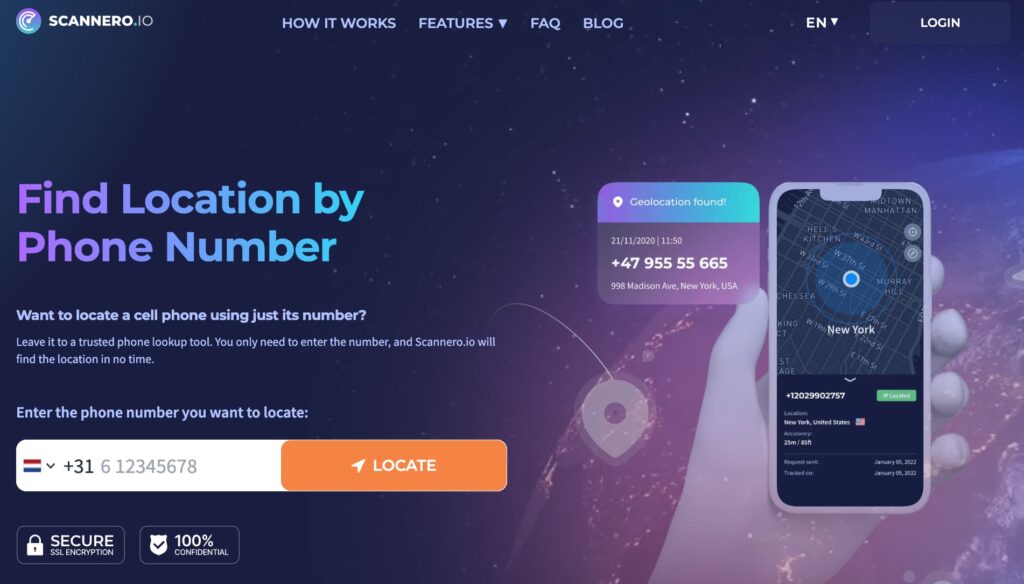
The core problem with most tracking methods is that they require something you don’t have: access to the target’s Apple ID, a pre-installed app on their device, or an existing location-sharing agreement. When you have none of those, the phone number is all you’ve got.
Scannero is built specifically for this situation. Enter the target’s phone number on the Scannero platform, and the system sends a discreet, natural-looking SMS to that number. When the recipient opens the link, their GPS coordinates are captured and returned to your dashboard in real time. No app installation on the target device. No Apple ID required. No prior setup.
The process takes under five minutes from start to location result:
- Go to scannero.com and create an account — just an email address and password.
- Enter the target iPhone’s phone number, including the country code.
- Scannero sends an SMS with a custom link to that number.
- When the link is opened, the GPS location appears in your Scannero dashboard on a live map.
Scannero works across all US carriers — AT&T, Verizon, T-Mobile, and smaller MVNOs — and is compatible with every iPhone model. It requires no jailbreaking, no software download, and no physical access to the device.

2. Apple Find My — Best When You Own the Device

Apple’s Find My is the most accurate location method for iPhones — when the right conditions are in place. It works through two paths:
- Family Sharing: If the target iPhone is part of your Apple Family Sharing group, their location is visible in the Find My app under the People tab.
- Shared Apple ID: If you know the Apple ID and password associated with the iPhone, log into iCloud.com/find from any browser to see the device’s location on a map.
To use Find My to locate an iPhone:
- Open the Find My app on another Apple device, or go to icloud.com/find on any browser.
- Sign in with the Apple ID linked to the target iPhone.
- Select the device from the list.
- View its current location, or play a sound if it’s nearby.
The critical caveat: Find My must have been enabled on the target iPhone before it went missing. If it wasn’t set up in advance, this method won’t work — which is where Scannero becomes the practical alternative.
3. iCloud Find Devices — For Lost or Stolen iPhones
If your own iPhone is the missing one, iCloud’s Find Devices is your best immediate option. It’s browser-based, free, and doesn’t require another iPhone.
- Open any browser and go to icloud.com/find.
- Sign in using your Apple ID and password.
- Select your iPhone from the device list.
- View its location on a map, activate Lost Mode to lock it, or erase it remotely if you believe it’s been stolen.
One important limitation: if the iPhone is powered off or has no internet connection, Find Devices will show the last known location rather than a live position. For iPhones running iOS 15 or later, Apple’s offline Find My network can still detect the device’s approximate location by anonymously bouncing a signal off nearby Apple devices — even without Wi-Fi or cellular.
4. Google Maps Location Sharing — With Their Consent

Google Maps supports real-time location sharing between contacts, and it works across iPhone and Android. This is one of the most reliable free methods for tracking a family member’s iPhone by phone number — as long as three conditions are met:
- The target iPhone has Google Maps installed with location services enabled.
- The target has previously shared their location with you, or agrees to do so now.
- Both devices have an active internet connection.
For ongoing family location visibility, this method pairs well with a family group in Google Maps. The downside: it’s easy for the target to stop sharing at any time, and they’ll see that their location is being shared — there’s no background-silent mode.
Google Maps Timeline (found in the account menu under “Your Timeline”) also shows historical location data for dates when the phone was active with location services on — useful for reconstructing where someone was, rather than where they are now.
5. Carrier Family Locator (AT&T, Verizon, T-Mobile)
All three major US carriers offer built-in family location plans that let account holders track phones on the same account in real time. These work through cell tower data and GPS and don’t require the target to do anything — the location updates automatically.
- AT&T Secure Family: Real-time location, location history, and content filters. Available as an add-on to AT&T wireless accounts.
- Verizon Family: Location sharing for all devices on a Verizon plan, accessible through the Verizon app.
- T-Mobile FamilyMode: Includes real-time GPS location and screen time controls, available as a monthly add-on.
The main constraint: the iPhone must be an active line on your carrier account. These services are designed for family plans — not for tracking someone outside your account. Most carrier tools also send a notification to the tracked device when location monitoring is active, so they’re not silent.
What Happens When the iPhone Is Off?
Real-time GPS tracking stops the moment an iPhone is powered down. The device stops communicating with cell towers, GPS satellites, and Apple’s servers.
What remains available after the iPhone goes dark:
- Last known location: Scannero, Find My, and iCloud all cache the most recent position before the device went offline. Check these immediately.
- Apple’s offline network (iOS 15+): Even with no battery or internet, a powered-off iPhone can still be detected by Find My using Bluetooth signals picked up by nearby Apple devices. This works passively without any action required.
- IMEI-based carrier tracking: Each iPhone has a unique 15-digit IMEI number. Carriers can identify the last cell tower the device pinged before powering down. This data is only accessible through law enforcement — file a police report and provide the IMEI number to initiate this process.
If a phone has been stolen, acting within the first 10–15 minutes while it’s still powered on dramatically increases the chance of a live location result.
Scannero vs. Other iPhone Tracking Methods
Choosing the right method depends entirely on what access you have and what your situation is. Here’s how the main options compare:
| Feature / Criteria | Scannero | Apple Find My | iCloud | Google Maps | Carrier Locator |
|---|---|---|---|---|---|
| Works with phone number only | Yes | No | No | No | No |
| No app on target device | Yes | No (Family Sharing app) | Yes | No | No |
| Works without target’s Apple ID | Yes | No | No | Yes | Yes |
| Real-time GPS location | Yes | Yes | Yes | Yes | Yes |
| Free option available | Yes (trial) | Yes | Yes | Yes | Paid add-on |
| Works when iPhone is off | No | Partial (iOS 15+ network) | Partial | No | No |
| Requires consent from target | Implicit (link click) | Yes (sharing setup) | Credentials | Yes | Account-level |
For anyone trying to track an iPhone by phone number without access to the device’s Apple ID or pre-installed apps, Scannero is the only method in this comparison that uses the phone number as the direct entry point. It’s the right choice when you need a location result quickly, have only the number, and can’t rely on prior setup — a missing family member, an unresponsive contact, or a device that’s changed hands.
Is It Legal to Track an iPhone by Phone Number?
Tracking another person’s iPhone without their knowledge or consent is illegal under the Electronic Communications Privacy Act (ECPA) and equivalent state laws in the US. Unauthorized location tracking is treated as a form of surveillance, and penalties vary by state.
Scannero’s method is consent-based: the target receives an SMS and must actively click a link to share their location. The click constitutes implied consent. This places Scannero in a different category from silent monitoring tools, which install software on the target device without their awareness.
Tracking is clearly legal in several common scenarios: parents monitoring their minor children’s devices, employers tracking company-issued iPhones with disclosed consent policies, and individuals tracking their own devices. In any other situation, disclosing the tracking to the person being located is both the ethical and legally safe approach.
How to Track an iPhone by Phone Number Right Now
When you need to find an iPhone’s location and a phone number is all you have, Scannero gives you the fastest path to a real GPS result. Enter the number, let the system send the link, and get the location in minutes — no Apple ID, no app installation, no technical knowledge required.
Visit Scannero and enter the iPhone number you want to track. The trial lets you test the full process before committing to a subscription.

Related posts
 May 25, 2026
 May 25, 2026
 May 25, 2026





