


Table Of Contents

How to Track a Text Message Location: 5 Methods That Work
Most people searching for a way to track a text message location run into the same wall: every guide points to apps that require physical access to the target phone. That’s not always an option. This guide covers five methods that actually work — including one that requires nothing more than a phone number.
Can You Actually Track a Location Through a Text Message?
Yes — but the mechanism matters. There are two distinct approaches: tools that send a tracking link inside a text message, and native phone features that let users share their GPS position directly from their messaging app.
When you need someone’s location without installing software on their device, a dedicated text-based tracker is the fastest path. Scannero is built exactly for this. You enter a phone number, send a text, and when the recipient taps the link inside that message, their GPS coordinates are returned to your dashboard. No app installation on their end. No physical access to their phone required. You get their location in minutes.
For situations where both parties are willing to share, native iOS and Android features work just as well — and they’re completely free. The right method depends on your situation, so the sections below cover all five options.
Use Scannero to Track Any Phone Number via Text
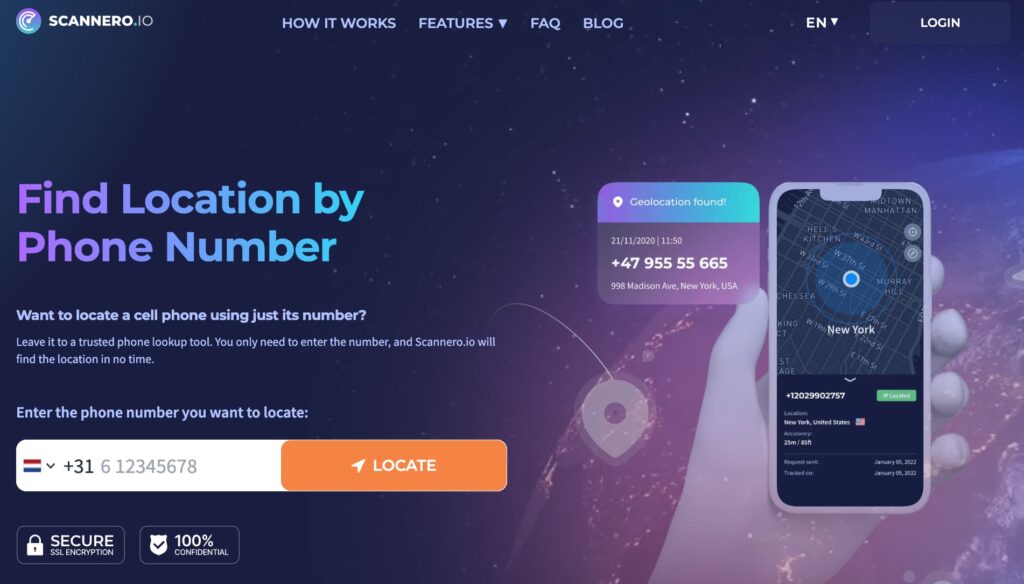
When the person you’re trying to locate doesn’t have a tracking app installed, reaching them by text is the only viable remote option. Standard SMS messages don’t transmit GPS data on their own — but a purpose-built link embedded in a text does, the moment it’s tapped.
How Scannero Works
Scannero sends a text message to any phone number — iOS or Android, any carrier — containing a link that looks like an ordinary URL. When the recipient opens the message and taps that link, their device’s GPS reports the location back to Scannero’s servers. The result appears on a map in your Scannero dashboard and is sent to your email address. The recipient never sees an app prompt, a permissions warning, or a branded Scannero notification. They only see the text you wrote.
How to Get Started with Scannero (Step-by-Step)
- Go to scannero.com and create an account — enter your email and set a password.
- Enter the phone number you want to locate in the tracking field.
- Write your message, or select one of Scannero’s pre-written message templates.
- Click Send. Scannero delivers the text to the target number.
- When the recipient taps the link, their GPS location is returned to your dashboard and emailed to you.
The entire process from signup to sending takes under five minutes. Location results are typically delivered within seconds of the link being tapped. Scannero works on Wi-Fi-only devices as well as standard cellular plans, so it functions even when the target phone has no active data plan.
Native iOS Location Sharing via iMessage
iPhone users can share their location directly inside the Messages app without any third-party tools. This method requires both parties to use Apple devices with iMessage enabled.
- Open the Messages app and select a conversation.
- Tap the contact’s name or number at the top of the screen.
- Select “Info” (the circled i icon).
- Tap “Share My Location.”
- Choose how long to share: For One Hour, Until End of Day, or Indefinitely.
The recipient sees your live location on an Apple Maps view inside the conversation. To receive someone else’s location, tap “Request” instead of “Share” in the same menu — they’ll get a notification and can accept or decline.
For a different angle, the Find My app on iPhone lets you send a location-sharing request directly. If they accept, you see their real-time position on a map for as long as sharing is active. If they decline or never respond, you won’t see anything. This method requires the other person’s cooperation. It does not work if they have Location Services disabled or if they use an Android phone without iMessage.
Google Maps Location Sharing via SMS (Android & iPhone)

Google Maps has a built-in location sharing feature that works on both Android and iPhone and doesn’t require the other person to have any specific messaging app.
- Open Google Maps on your phone.
- Tap your profile icon or initial in the top right corner.
- Select “Location sharing.”
- Tap “New share” and choose a contact or select “Copy link.”
- Paste the link into a text message and send it.
When the recipient taps the link, Google Maps opens and displays your location in real time. You can set an expiry of 1 hour, until end of day, or indefinitely. The person receiving the link does not need Google Maps installed — the link opens in a browser if the app isn’t present.
This method works cross-platform. An iPhone user can send a Google Maps share link to an Android user and vice versa. It requires your own location services to be active and requires you to initiate the share yourself — it cannot be used to pull someone else’s location without their participation.
Cell Tower Triangulation — How Carriers Locate Phones
Every time a phone sends or receives a text message, that signal passes through one or more cell towers. Mobile carriers can calculate a phone’s approximate position by measuring the signal strength between the device and multiple towers — a process called triangulation. Accuracy varies between 100 and 300 meters depending on tower density in the area.
This method is not available to private individuals. Carriers provide location data to law enforcement agencies under court order or in active 911 emergencies. When you text 911, the carrier works with emergency services to identify your approximate position using this technology.
There is no legal way for a private person to request cell tower location data from a carrier for another individual’s number without a court order. Any website claiming to offer cell tower-based phone tracking for a fee is either fabricating results or collecting your data under false pretenses.
Request Location Directly via Any Messaging App
The most straightforward option — if the other person is willing — is to ask for their location through any messaging app that supports live location sharing.
WhatsApp: Open a conversation → tap the “+” or paperclip icon → Location → Share Live Location → choose duration → Send.
Telegram: Open a chat → tap the attachment icon → Location → Share My Live Location → choose duration.
Snapchat: Open Snapchat → tap the Map icon → your location is visible to mutual friends by default if Snap Map is enabled. You can also send a location pin by tapping and holding on the map.
Google Messages (Android): Tap the “+” icon in a conversation → Location → Send current location.
Each of these sends a link or an embedded map that the recipient can view. Live sharing shows your position updating in real time. All of these require the sender to initiate voluntarily — there is no method within these apps to pull someone else’s location without their action.
Comparing Text Message Location Tracking Tools
| Feature / Criteria | Scannero | mSpy | Life360 |
|---|---|---|---|
| No app install required on target device | Yes | No | No |
| Works on any carrier (iOS + Android) | Yes | Yes | Yes |
| Recipient consent via link tap | Yes | No | Yes |
| Setup under 5 minutes | Yes | No — requires device access | No — requires download |
| Reverse phone lookup included | Yes | No | No |
| Works on Wi-Fi-only devices | Yes | Limited | Limited |
| Anonymous to recipient before link tap | Yes | Yes | No |
When the goal is to get a location from a text message without installing anything on the target phone, Scannero is the only option in this comparison that meets that requirement. mSpy is more feature-rich for ongoing monitoring — it requires physical access to the target device to install, which rules it out entirely when that access isn’t available. Life360 is built for family groups where all members download the app willingly; it doesn’t work as a one-sided location request.
For parents needing a location check on a child who’s out of reach, or anyone trying to locate someone from a phone number alone, Scannero delivers a result in the time it takes to send and receive a text.
Is It Legal to Track Someone’s Location via Text?
Tracking someone’s location via text is legal in three specific situations: you own the device being tracked, the person gives explicit consent, or you are a parent monitoring a minor child in your household.
Scannero’s mechanism is consent-based. The recipient must physically tap the link inside the text for their location to be reported. They are not tracked passively or without any action on their part. That single tap constitutes an act of consent in most US jurisdictions — which is why the tool can be legally recommended for locating a family member, confirming a child’s whereabouts, or identifying the source of threatening messages.
Using any location tracking method on an ex-partner, coworker, or stranger without their knowledge or consent is illegal under the Electronic Communications Privacy Act and equivalent state laws. If you are unsure about the legal parameters in your state, consult a legal professional before proceeding.
Track a Text Message Location Starting Today
There are five real methods to track a text message location: a dedicated link-based tracker like Scannero, native iOS iMessage sharing, Google Maps SMS sharing, carrier triangulation (law enforcement only), and direct requests through messaging apps. The right one depends on whether you need cooperation from the other person and whether you have physical access to their device.
For anyone who needs a location without installing an app and without access to the target phone, the answer is straightforward. Enter a phone number, send a text, and let Scannero do the rest — location delivered to your dashboard the moment the link is tapped.

Related posts
 May 25, 2026
 May 25, 2026
 May 25, 2026





